MATLAB Basics is a self-guided, approximately 6-week intensive program designed to get students up to speed with MATLAB syntax and basic programming. The program was created as a service to engineering students transferring in credit for ENGR 111 and/or ENGR 114, but who were not explicitly taught MATLAB or other vital ENGR 111 and 114 concepts before they transferred. This program does not replace or cover all the content of ENGR 111 and 114 and is purely supplemental. Program difficulty varies based upon prior programming experience.
MATLAB is used extensively throughout the Walter Scott, Jr. College of Engineering courses and degree programs. It is very important for students to be comfortable using the programming language and software package before progressing in our engineering programs.
If you are offered this program, you will have outstanding graduation requirement(s) until it is successfully completed (70% or better on the final exam). Because this is a self-guided program, there is no instructor assigned to collect material or administer help. Students are expected to complete all content on their own. The MATLAB Help Center is a great resource if you need additional assistance.
Engagement with MATLAB Basics is up to you and will depend upon your skill level and experience.
For example, if you think you might already have the MATLAB skills you need, skip to the last week of content and look around. If you’re certain that you possess the skills necessary to complete the assignments and understand the reading, then you can take the final exam.
Others will want to start at the very beginning, purchase a lab kit, and do each of the labs. If you’re uncertain about your programming skills, take this as a self-learning opportunity to get ahead.
You will only have one opportunity to take the final exam. Be sure you’re confident in your understanding of the material. If you don’t pass the final exam on your first attempt, you will have to take ENGR 111 and/or ENGR 114.
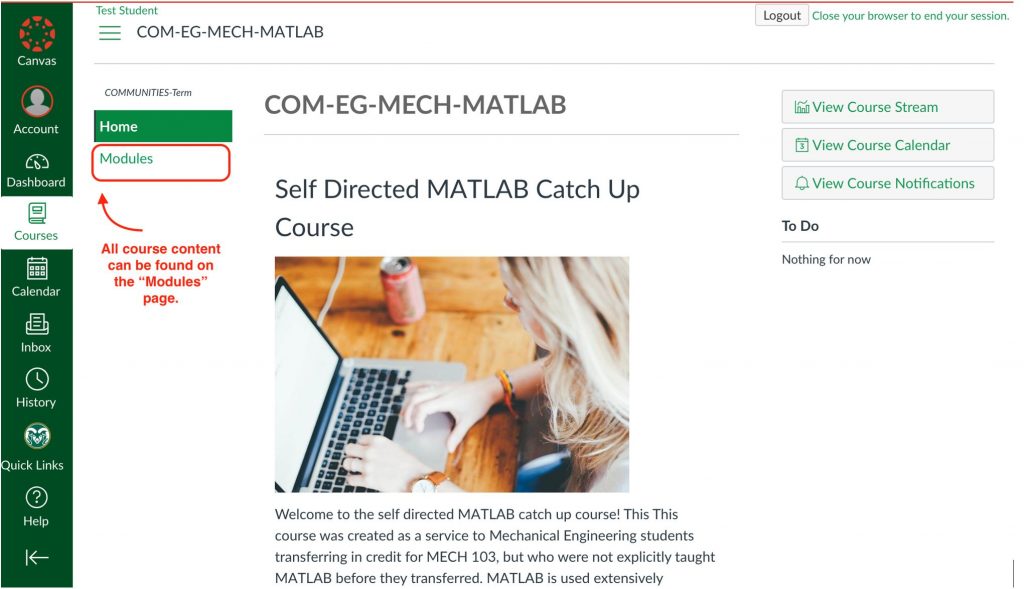
To navigate the program, follow the “Modules” page in Canvas. All of the assignments, labs, and materials needed can be found there. Modules are organized by week. It is strongly suggested that you strictly follow the weekly schedule.
Suggested Schedule
It’s estimated to take you about 1 hour, 3 to 4 times per week engaging with the material in order to benefit from it. Create a schedule to keep yourself accountable. For example, dedicate the hours from 9–10am on Monday, Wednesday, and Friday to engage with the material.
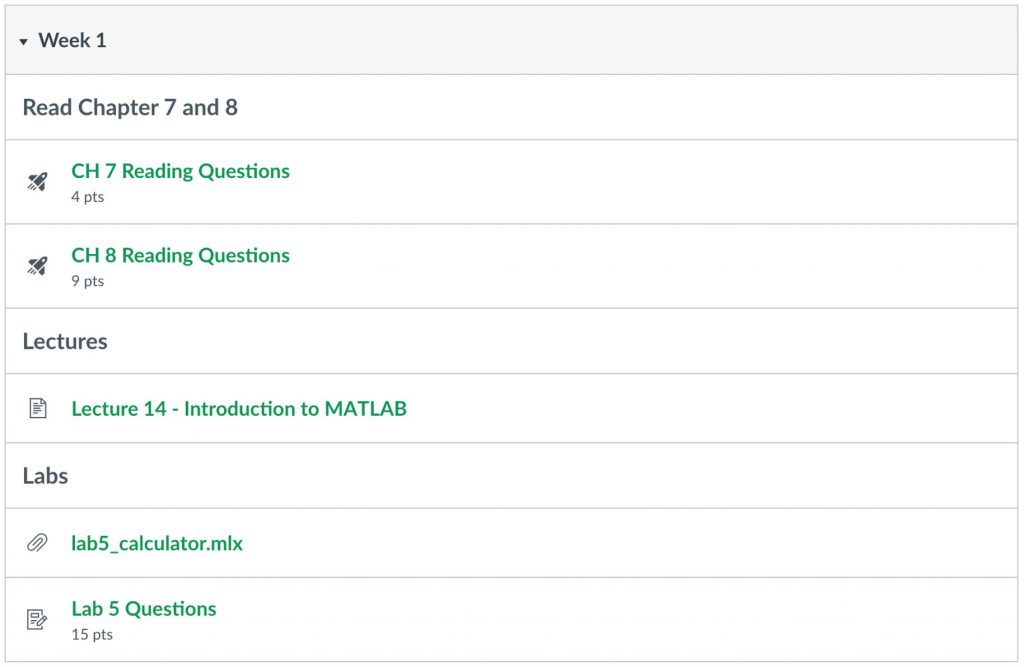
Below is the week 1 module. For example:
On Monday: Read chapters 7 and 8 and attempt the Reading Questions
On Wednesday: Watch Lecture 14
On Friday: Complete Lab 5
If you follow a consistent schedule, you will be successful.
Materials
Textbook
This program uses a free textbook that is accessible online. You can find the book at intro2eng.com.
Please consider donating if you find the textbook useful. You can find donation information on the textbook website.
Lab Kits (optional)
As part of this program, you have access to the MECH 103 labs. These labs were designed to teach students how to program an Arduino microcontroller with MATLAB.
If you do not have experience with programming Arduino microcontrollers, it is highly recommended you purchase a lab kit and try all the labs.